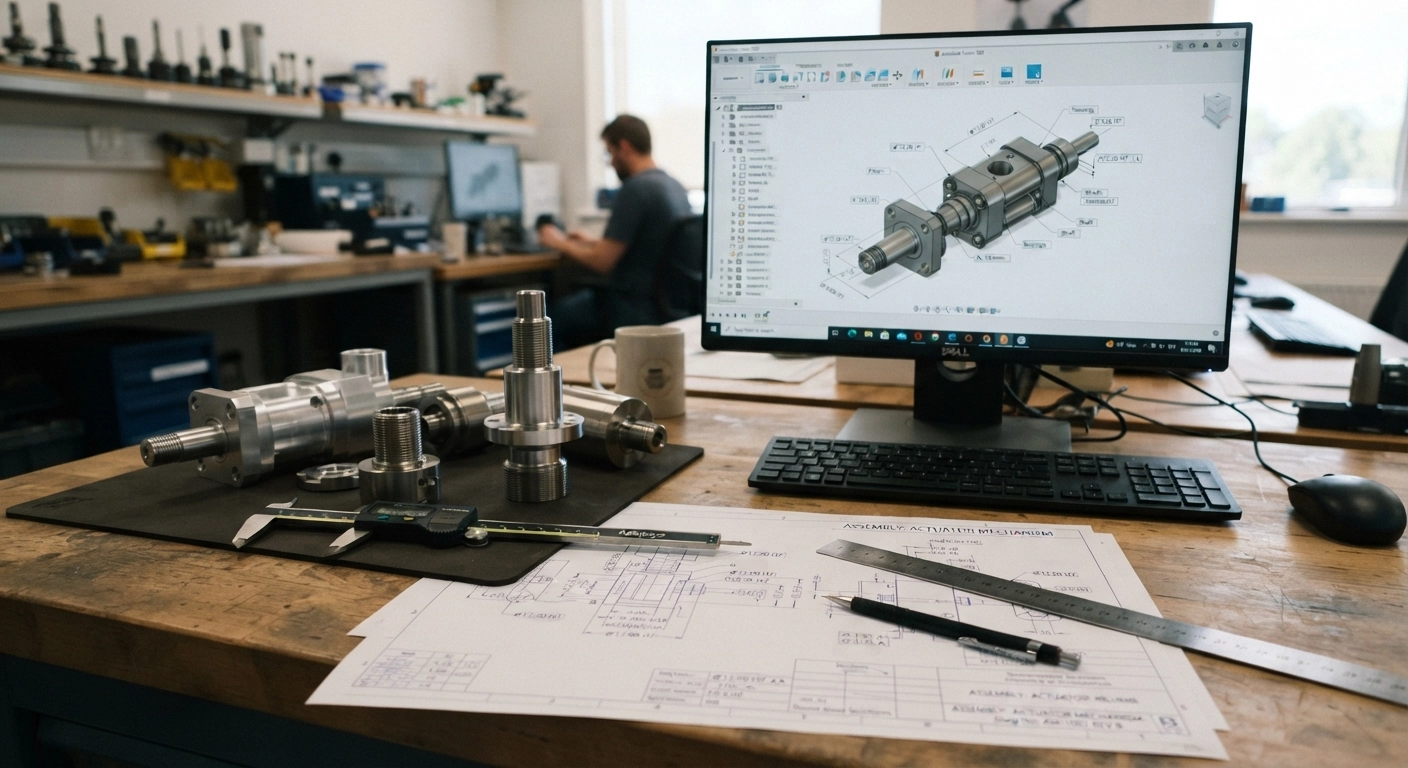

An engineering procurement officer has a project requiring 2,000 precision-machined components. The technical drawings are complete, material specifications have been approved, and the production deadline is approaching.
They identify a CNC machining company that appears capable of handling the project.
But there’s a problem.
The manufacturer’s website provides no secure way to upload CAD files. Instead, prospective customers are instructed to send drawings to a general email address, complete a downloadable quotation form, or call the office for further instructions.
For a small, straightforward enquiry, this might be manageable.
For an enterprise engineering project involving confidential component designs, multiple technical drawings, strict tolerances, and contractual confidentiality requirements, it creates unnecessary friction.
The buyer needs confidence that proprietary information will be handled appropriately. They also want the supplier’s engineering team to receive everything required for an accurate quotation without repeated emails.
A secure CAD upload portal solves both problems: it simplifies technical RFQ submissions while establishing a more controlled process for handling sensitive engineering documentation.
For precision engineering businesses, CNC machining shops, and specialist manufacturers, this functionality can turn an ordinary website into a more effective commercial intake system.
Why Enterprise Engineers Expect More Than a Contact Form
Industrial buyers don’t approach manufacturing enquiries the same way consumers approach an online purchase.
Before requesting a quotation, mechanical engineers and procurement professionals may need to exchange documents containing critical technical information.
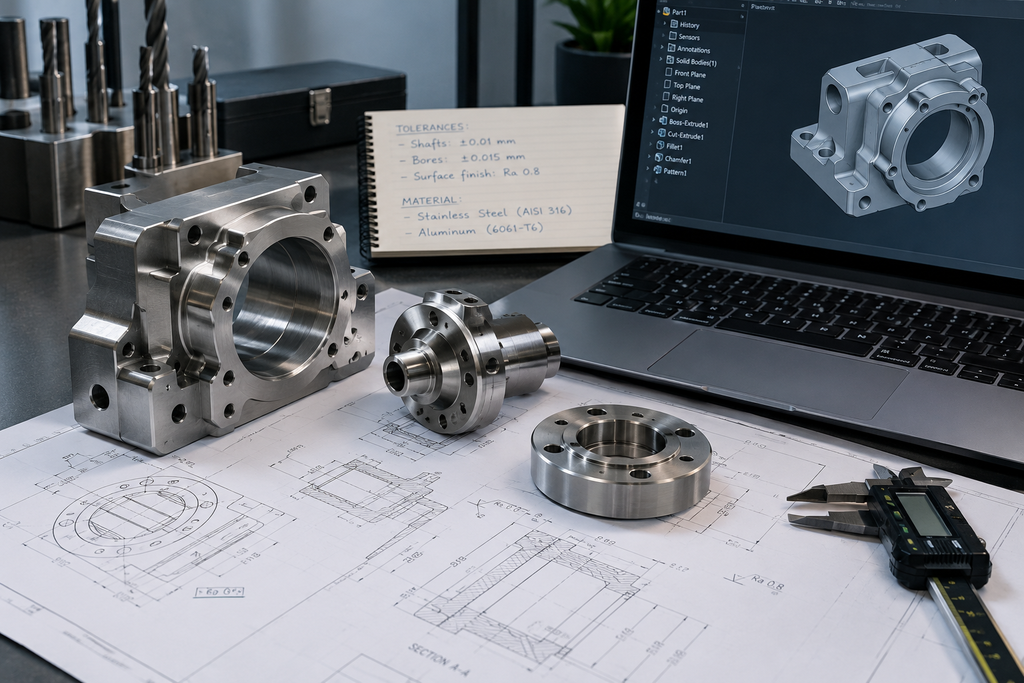
These documents can include 2D engineering drawings, 3D component models, assembly files, material requirements, geometric dimensioning and tolerancing (GD&T), inspection specifications, and production schedules.
If your website only provides a generic contact form, buyers must find alternative ways to communicate these requirements.
That introduces several problems.
First, files may become separated from their corresponding project enquiries.
Second, conventional email workflows can create confusion when engineers submit multiple drawing revisions.
Third, drawings may be distributed across employee inboxes without consistent access controls, retention rules, or centralized version management.
Finally, an unstructured submission often requires your estimating team to request information that could have been collected at the beginning.
The result is additional administrative work before technical quotation development can even begin.
A dedicated CAD upload portal provides a clearer route from technical enquiry to engineering review.
It tells buyers exactly what information to provide, how to submit it, and what happens after submission.
1. Design the CAD Upload Experience Around Engineering Workflows
A well-designed CAD upload portal should not resemble a general-purpose contact form with an attachment button added at the bottom.
It should reflect how engineers prepare technical quotation packages.
Support the CAD formats your customers actually use
Different engineering teams rely on different CAD systems and exchange formats.
Your upload portal should support the formats your internal engineering and estimating workflows can reliably process.
Common examples include:
| File format | Typical application |
|---|---|
| STEP (.step, .stp) | 3D solid model exchange |
| IGES (.igs, .iges) | Exchange of CAD geometry and surfaces |
| DXF (.dxf) | 2D drawings, profiles, and cutting layouts |
| DWG (.dwg) | Engineering and technical drawings |
| STL (.stl) | Mesh geometry for 3D printing and selected manufacturing workflows |
| SLDPRT / SLDASM | Native SOLIDWORKS parts and assemblies |
| PDF (.pdf) | Dimensioned drawings, tolerances, and inspection notes |
These formats are used across engineering software ecosystems, including Autodesk Fusion, although actual compatibility depends on software, versions, and file structure. autodesk.comhelp.autodesk.com
Importantly, an STL mesh shouldn’t automatically be treated as sufficient for precision machining quotations. It may not contain the exact design intent, tolerances, or manufacturing annotations needed by an estimator.
The portal should therefore allow buyers to upload complementary files.
For example, an engineer could submit a STEP model alongside a PDF drawing containing critical tolerances and surface finish requirements.
This creates a more complete technical quotation package.
Make file uploads straightforward
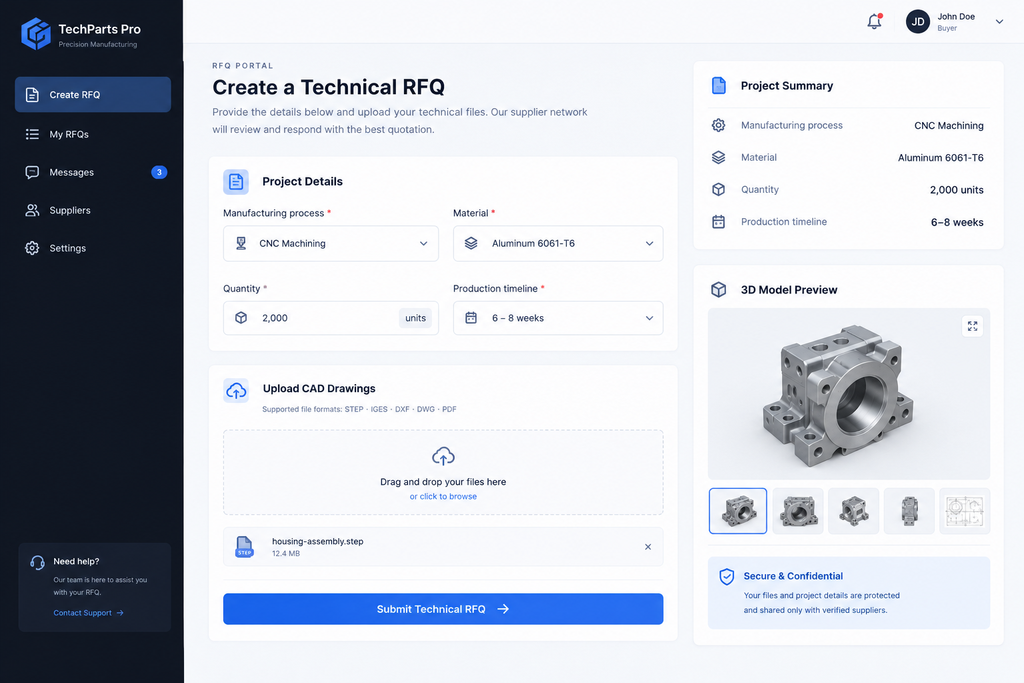
The upload interface should provide drag-and-drop functionality, a conventional file selection option, clear file-type guidance, and visible upload progress.
Buyers should also be able to attach multiple files, remove an incorrect attachment, and identify upload failures before submitting their RFQ.
For larger CAD assemblies, resumable uploads are particularly useful. If an internet connection drops during transfer, the user shouldn’t necessarily have to restart the entire submission.
Don’t force engineers to create an account simply to request an initial quotation unless authentication is justified by the project’s confidentiality or the customer’s procurement requirements.
Instead, distinguish between a standard RFQ process and a controlled enterprise submission process that may require verified identities and additional access restrictions.
Ask for essential manufacturing information
The form should capture the technical and commercial details needed for initial evaluation.
Typical fields include manufacturing process, material grade, quantity, required tolerances, surface treatment, delivery location, expected timeline, and any applicable quality standards.
However, not every question should be mandatory.
An engineer requesting a preliminary feasibility review may not know the final order quantity. A buyer seeking supplier qualification may not yet have approved production drawings.
Use conditional fields so the form adjusts to the selected service.
For example, sheet metal fabrication enquiries may require thickness and finish details, while CNC machining enquiries may require material grade, machining process, and tolerance information.
The objective is to collect useful specifications without turning the enquiry process into another engineering assignment.
2. Build Security Into the Portal, Not Just the Upload Button
Enterprise engineers may submit proprietary component designs, manufacturing specifications, or drawings protected by nondisclosure agreements.
A file upload feature therefore needs more than a secure-looking interface.
It requires properly implemented controls governing how files are transmitted, validated, stored, accessed, and eventually deleted.
Encrypt data during transmission and storage
The website should use HTTPS with properly configured TLS to protect information while it travels between the buyer’s device and the server.
Uploaded CAD documents should also be stored using encryption at rest, with appropriate management of encryption keys.
HTTPS alone doesn’t protect a file once it has been stored.
Validate uploaded files before they enter the workflow
An unrestricted file upload system creates security risks.
Attackers may attempt to upload malicious files disguised as ordinary engineering documents or exploit weaknesses in file-processing systems.
The OWASP File Upload Cheat Sheet recommends layered controls, including allowlisted file types, validation beyond filenames, file size restrictions, safe storage, and malware screening where applicable. github.comcheatsheetseries.owasp.org
For a manufacturing RFQ portal, a sound design would:
- Accept only approved file formats and enforce file-size limits.
- Validate actual file structure wherever reliable parsers are available.
- Assign internal storage identifiers instead of trusting original filenames.
- Scan files in an isolated processing environment before making them available.
- Quarantine suspicious uploads and prevent unsafe preview or parsing operations.
- Apply upload rate limits and protections against automated abuse.
CAD file formats often need specialized validation. Generic file-type checking is not sufficient for every proprietary engineering format.
Restrict access to authorized personnel
Not every employee should have access to every quotation package.
A machine operator, sales representative, or outside subcontractor may require different levels of access.
Role-based access control can restrict drawing downloads to the engineers, estimators, and project managers assigned to the enquiry.
For sensitive enterprise projects, additional controls may include multifactor authentication, expiring access links, download auditing, and project-specific permissions.
A publicly accessible WordPress uploads directory should not be treated as suitable confidential CAD storage simply because its URLs are difficult to guess.
Files should be kept in private storage and delivered only after server-side authorization checks.
Define retention and confidentiality rules
Buyers should understand how submitted drawings will be used, who may access them, and how long they will be retained.
The retention policy should account for applicable contracts, procurement requirements, legal obligations, and internal engineering workflows.
For highly sensitive projects, companies may also need signed NDAs, customer-specific security arrangements, or an approved enterprise document exchange platform.
A secure upload portal supports confidentiality, but it does not automatically establish compliance with every enterprise customer’s security requirements.
3. Connect the Website to a Secure Engineering Review System
Installing a file upload field is only the first step.
The real commercial benefit comes from what happens after the customer submits their technical documents.
A properly designed system should connect the website to a controlled backend workflow for reviewing, qualifying, and tracking RFQs.
A recommended technical architecture
Website RFQ Form
Project details + 2D/3D CAD files
Secure Upload Service
Authentication, validation, rate limits
Private File Quarantine
Malware scanning + controlled processing
Protected Project Storage
Encrypted files + RFQ record + access permissions
Engineering Review
Restricted access
RFQ Tracking
Status + follow-ups
Conceptual architecture: file storage and metadata should be access-controlled separately. Only scanned and approved files should enter the engineering review workflow.
When a customer submits an RFQ, the system should generate a unique enquiry reference.
Project information can be recorded in a database or CRM, while the uploaded CAD documents are stored separately in protected file storage.
After security checks are completed, authorized engineering personnel can access the approved files through an internal dashboard.
The system can automatically acknowledge the submission and notify the appropriate estimator or project manager.
For more complex manufacturing operations, RFQ records can also integrate with enterprise resource planning (ERP) systems or specialized manufacturing quotation software.
A crucial distinction: automatic acknowledgment should not mean automatic technical approval. Engineering review must still establish manufacturability, specifications, capacity, and commercial viability.
Can this be implemented on WordPress?
Yes. A WordPress manufacturing website can provide the frontend experience for a secure CAD quotation system.
However, an ordinary contact-form plugin should not be assumed to provide enterprise-grade confidentiality or secure CAD processing.
A more appropriate architecture may use WordPress for website pages and form presentation, while a dedicated backend service manages upload authorization, private storage, scanning, and file retrieval.
For large assemblies, the backend may issue short-lived upload credentials so files transfer directly into a private quarantine area. The application then records completion and initiates security validation.
This approach can reduce the burden on website hosting and provides greater control over access to sensitive files.
Whatever platform is selected, security testing, maintenance, backup procedures, and an incident response process remain essential.
4. Reduce Quotation Delays Through Better User Experience
Enterprise buyers value speed, but not at the expense of accuracy.
A poorly structured RFQ might arrive without material specifications, drawing revisions, or production quantities.
The estimator must then contact the buyer and wait for the missing information before beginning technical review.
A better-designed portal reduces these avoidable clarification cycles.
For example, a mechanical engineer requesting 500 stainless-steel components could upload a STEP model, attach a PDF drawing, select the material grade, specify the quantity, and identify the target delivery date in a single submission.
The estimating team receives a structured request rather than several disconnected emails.
This can help accelerate the start of quotation review. It doesn’t guarantee a faster final quote, particularly when the project requires tooling assessments, subcontractor pricing, complex inspections, or capacity planning.
Features that improve the experience
A strong portal should provide visible upload progress, useful validation messages, clearly stated file limits, and a confirmation reference after submission.
For returning enterprise customers, a secure dashboard could also allow authorized users to track enquiry status, submit revised drawings, and respond to requests for clarification.
Where revision management is included, the system should retain drawing versions and record which version was used to prepare a quotation.
That detail can help reduce confusion if specifications change during procurement.
The most effective RFQ portals reduce administrative friction without compromising technical review.
5. Measure Whether Your CAD Portal Is Improving the Quote Pipeline
A secure CAD upload system is a business investment, not just a website feature.
Manufacturers should evaluate whether the new workflow improves the quality and handling of enquiries.
Useful performance indicators include:
- RFQ completion rate: The percentage of users who begin and successfully submit a quotation request.
- Upload failure rate: How often document transfers fail or require another attempt.
- RFQ completeness: The proportion of submissions containing the information required for initial review.
- Time to first response: The time taken to acknowledge an enquiry and provide meaningful next steps.
- Time to quotation: The interval between receiving sufficient project information and issuing a quotation.
- Quote-to-order conversion: The percentage of completed quotations that lead to confirmed purchase orders.
These measures can reveal whether the portal is genuinely improving the quotation process.
For example, fewer incomplete submissions may reduce estimating administration, while clearer submission tracking can make it easier to identify overdue enquiries.
However, website improvements cannot compensate for an understaffed estimating department or slow internal approval procedures.
The online experience and internal engineering workflow need to work together.
A Secure CAD Portal Is Part of Your Commercial Infrastructure
Precision engineering businesses invest substantially in machining equipment, skilled personnel, inspection systems, and manufacturing capability.
Yet many still rely on outdated website forms and fragmented email processes to receive commercially sensitive engineering enquiries.
That creates a disconnect between their technical sophistication and their digital procurement experience.
A properly designed CAD upload portal addresses that gap.
It helps mechanical engineers submit complete technical requirements, gives procurement professionals greater confidence in how documents are handled, and provides estimating teams with a more organized starting point for quotation development.
For manufacturers pursuing enterprise contracts, these improvements can make the business easier to evaluate and engage.
The goal isn’t to create a complicated customer portal filled with unnecessary features.
It’s to build a secure, reliable, straightforward path from technical drawings to a qualified manufacturing RFQ.
Build a More Effective Manufacturing RFQ Experience With Cruxe Studio
At Cruxe Studio, we design websites and digital enquiry experiences for industrial, engineering, and commercial businesses.
Our approach focuses on aligning website architecture, user experience, technical requirements, and search visibility with the way B2B buyers actually evaluate suppliers.
Whether you’re redesigning an outdated CNC machining website or planning a more structured quotation process, we can help define a website experience that supports your commercial goals, with appropriate technical implementation and security requirements.
Your manufacturing capabilities deserve a website that makes them easier to discover, evaluate, and enquire about.